
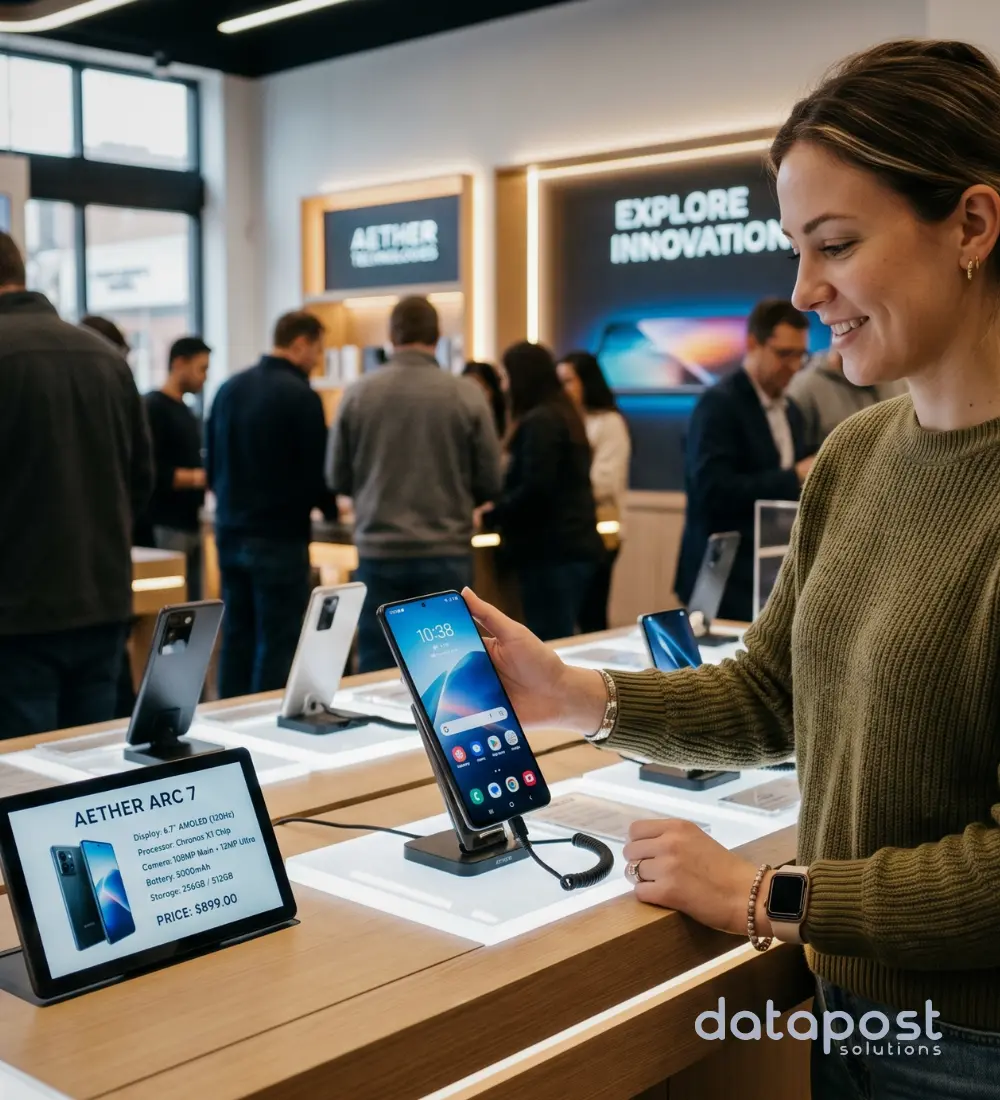
In-store shopping was changed forever by the introduction of e-commerce. Suddenly, customers could browse and buy anywhere, anytime. Online shopping’s popularity skyrocketed during worldwide lockdowns imposed in 2020. The consumer expectation of shopping was now centred around convenience, speed and smart technology. Upselling related items, offering discounts for fast checkouts and rewarding regular customers with digital vouchers. Shoppers now walk into stores expecting the same speed, personalisation, and relevance they get from the apps on their phones.
By integrating live digital solutions into your retail store, customers can enjoy the benefits of in-store shopping and the convenience of online tools. This blog explores how integrated digital solutions address business-critical pressures for retailers. Rather than adding isolated technology, focus on connecting signage, analytics, kiosks, training, and automation into a unified system—enabling measurable outcomes that matter to leadership.
What This Looks Like in Practice: Why Connected Technology Matters

Consider a clothing retailer running thirty stores. On a rainy Tuesday morning, Datapost Connect detects the weather change and updates window displays to feature waterproof jackets. Footfall sensors note the increase in entries. Vision detects that most morning shoppers are women, so the in-store screens shift to promote new women’s seasonal styling. At checkout, the kiosk suggests an umbrella as a low-cost add-on. Behind the scenes, the reporting dashboard shows the head office team that conversion on rainy days has risen by twelve per cent since the rules were introduced.
None of this requires a new tool. It is the integrated Datapost modules, configured to act together. That is the practical difference an integrated stack makes.
When systems operate in silos, decision-making is slower. A promotion runs on the menu board long after stock has sold out. CCTV records customer movement but never informs marketing. The break-room poster about a new product launch never reaches the staff working evening shifts.
A connected retail technology stack changes that. The same data that tracks footfall can trigger a different playlist on the window screen. A new product range can be rolled out across every store in an afternoon, with staff trained on it the same day. That is the practical meaning of smart retail solutions: individual tools that share data and act together.
8 Modules That Cover the Retail Floor
Datapost’s retail bundle is built around several modules. Each one solves a specific operational problem, and each one becomes more useful when combined with the others. Retailers can start with what matters most and add modules as priorities change. The same approach is explained in more depth in our blog on full suite versus multiple platforms.
The industry shift from in-person to online presents new challenges and opportunities for retail leaders. Customer expectations are higher than ever. Disconnected data systems limit executive insight and agility. High frontline staff turnover demands efficient, scalable training solutions, and with tight margins, every asset on the floor must demonstrate business value.
1. Digital Signage: Promotions That Actually Reach the Shopper
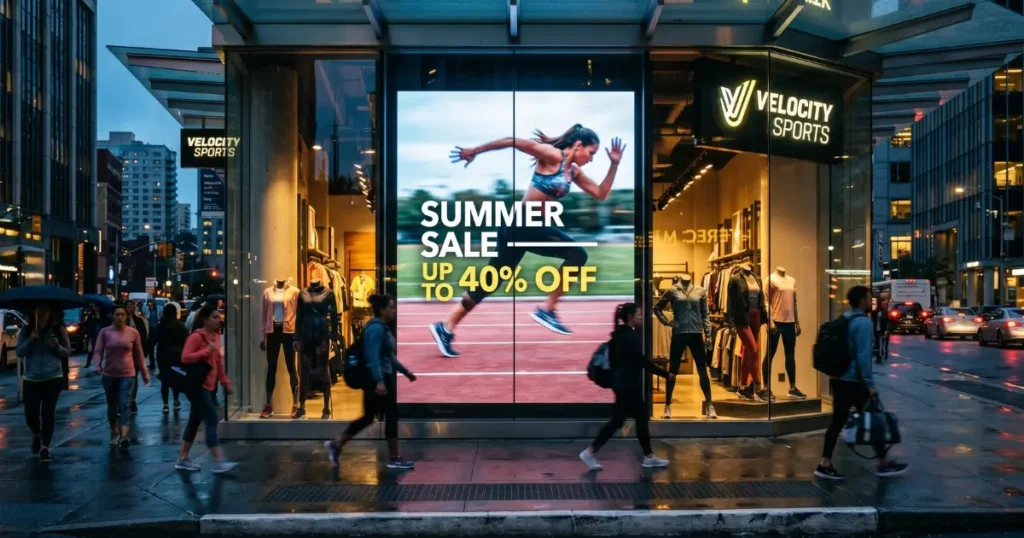
Printed posters carry a fixed cost and a fixed shelf life. By the time a seasonal campaign reaches every store, the season has often moved on. Digital signage for retail replaces that cycle with central control. A head office team can schedule campaigns for the week, push a flash sale within minutes, or run different content in flagship stores versus suburban branches.
Practical capabilities include dynamic content scheduling, brand-consistent templates, multi-store rollout, dayparting, and real-time updates. Window screens can promote the week’s headline offer, while in-store displays guide shoppers toward specific products or categories.
For a deeper look at the features that separate strong signage software from basic playback, see our breakdown of the eight best features for powerful digital signage software.
2. Lift and Learn: When a Product Becomes the Trigger
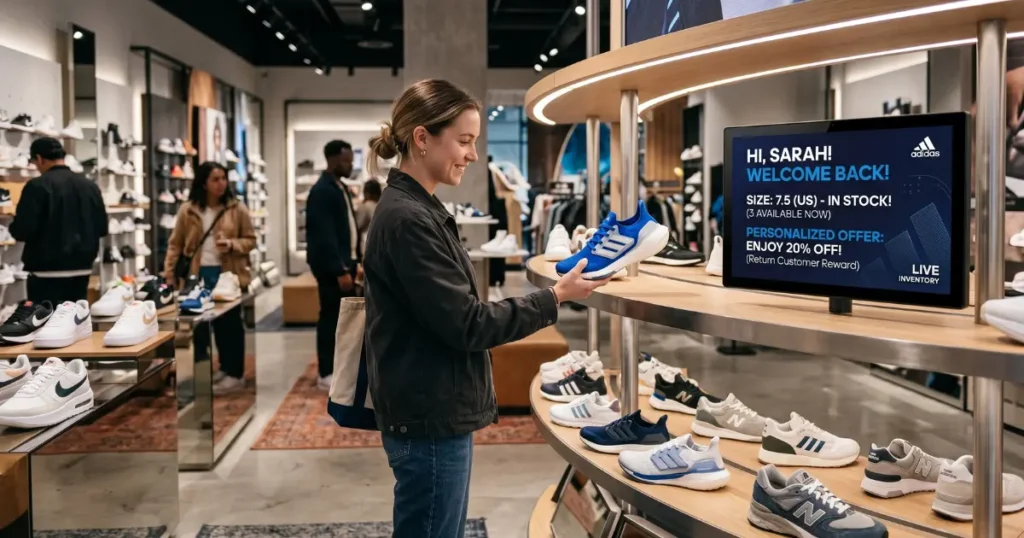
Lift and Learn is one of the clearest examples of how Datapost Connect changes the in-store experience. Smart sensors are placed under products on the shelf. When a customer lifts an item, the sensor sends a signal to a nearby digital screen, which instantly displays content tied to that exact product.
In the example, a shopper picks up a running shoe. The adjacent display recognises the product, greets the returning customer by name, confirms her size is in stock with three pairs available, and presents a personalised twenty per cent offer. The interaction takes less than a second and requires no input from the customer or assistance from staff.
The technology works by connecting three things: an IoT sensor attached to the product or shelf, the Datapost Connect rules engine, and the screen itself. When the sensor registers a lift event, Connect looks up the rule for that product and triggers the matching content. The rule can pull live data, including current stock levels, regional pricing, loyalty status for a recognised customer, or a different message entirely if the product is out of stock.
For retailers, this delivers three practical results. Shoppers receive product information at the exact moment they are considering a purchase, which is when relevance matters most. Staff are freed from answering basic questions about sizing, stock, or features. And the retailer captures a useful signal: which products are being picked up but not purchased, which can be reviewed alongside footfall and conversion data.
Lift and Learn works particularly well for higher-consideration categories such as footwear, electronics, cosmetics, and homeware, where shoppers physically handle items before deciding. It is configured through the same no-code rules interface used for weather triggers and POS-based content, so adding new products to the system does not require a development project.
3. Data-connect: Smart Content Automation
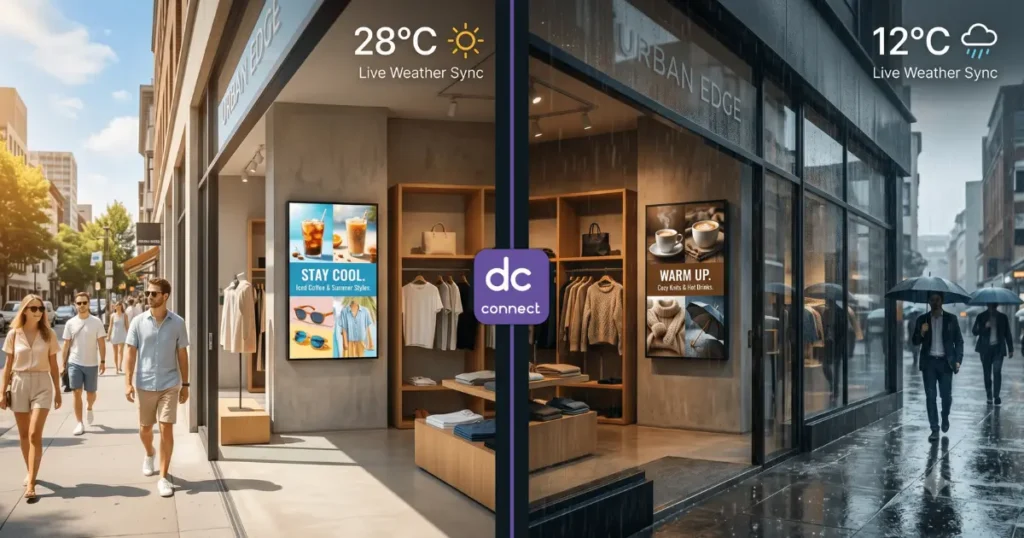
Practical examples include:
- When the temperature outside drops below a threshold, screens automatically promote jackets and warm drinks.
- When rain starts, the window displays switches to umbrella and raincoat bundles.
- When a specific shelf sensor detects a product being lifted, an adjacent screen displays product information, sizing, and stock availability.
- When energy use spikes outside expected hours, operations receive an anomaly alert.
The same engine also handles utility monitoring for lighting, air-conditioning, and other in-store services. Operations teams gain a live view of how the store is running without being on site. This is the kind of automation that powers customer engagement in retail without adding to the workload of on-the-floor staff.
4. Xplore: On-Demand Training for Retail Staff
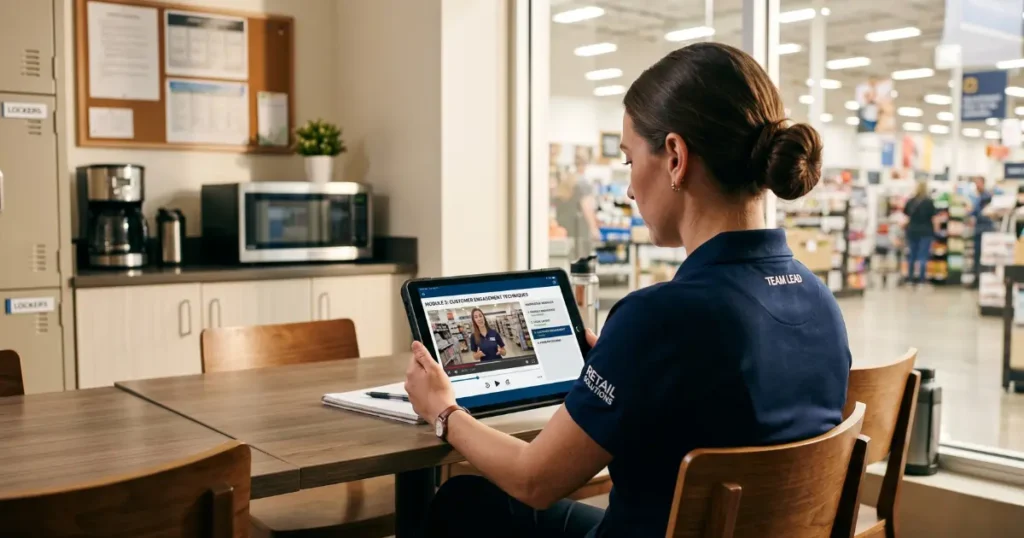
Retail teams turn over quickly, and product ranges change often. Training that depends on in-person sessions becomes a bottleneck. Datapost Xplore is a video-on-demand library that delivers consistent training across every store, on any device.
Staff can complete short modules on new product launches, sales techniques, or policy changes during quiet periods on the floor. Managers can see who has completed which modules and follow up where needed. New stock-keeping units can be introduced in minutes rather than weeks, which keeps the sales floor aligned with what is being promoted on screen.
The result: shorter onboarding, fewer training gaps, and a frontline team that is ready to answer questions about whatever is in the window.
5. Self-Service Terminals and Interactive Kiosks
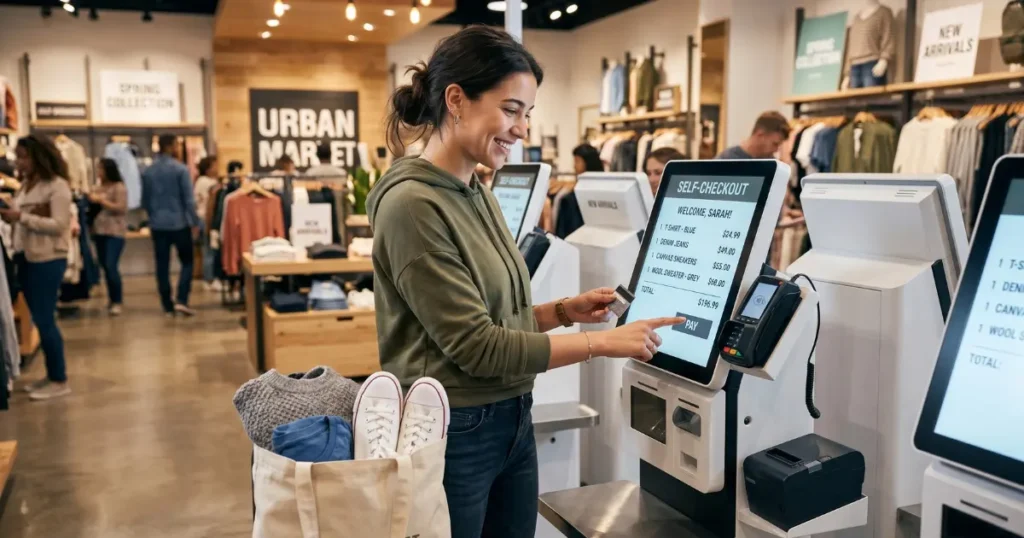
Queues at the till are among the most common reasons customers abandon a purchase. Self-service terminals and kiosks reduce that friction in two ways. Self-checkout terminals shorten queues at peak times and give shoppers a faster, more private option.
Interactive kiosks inform and upsell throughout the journey, whether that means showing product information, locating an item in-store, or prompting a loyalty sign-up.
Deployment is PCI-compliant and supports card, mobile, and cash where required. Accessibility is built in by design, which means terminals work for a wider range of shoppers without separate hardware. Loyalty prompts and recommended add-ons appear contextually, boosting average basket size without burdening staff.
6. Queue Management That Works Alongside Self-Checkout
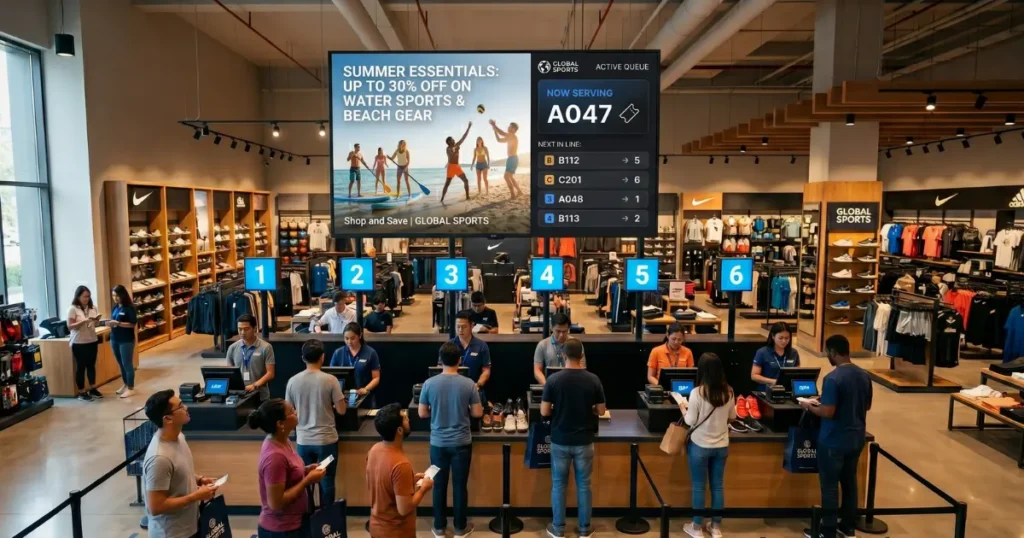
Self-service terminals reduce queues, but most retailers still operate traditional checkout counters in parallel. Qman is the queue management layer that ties the two together.
Queue management helps retailers deliver faster and smoother customer journeys, whether shoppers choose self-checkout or a staffed till. Qman reduces wait times, optimises staff workflows, and integrates with existing systems.
There are two versions, and the right choice depends on the size of the operation:
- Qman Lite suits smaller retailers running a single checkout counter at a single location. It covers the core queue management essentials without the overhead of a full enterprise rollout.
- Qman is the advanced option for retailers operating large checkout areas across multiple locations. It supports complex service configurations, detailed analytics, and central control across the entire network.
Both versions integrate with the Datapost ecosystem. For a more detailed comparison, see our breakdown of which queue management system is right for your business.
7. Datapost Vision: Advanced Audience Insights
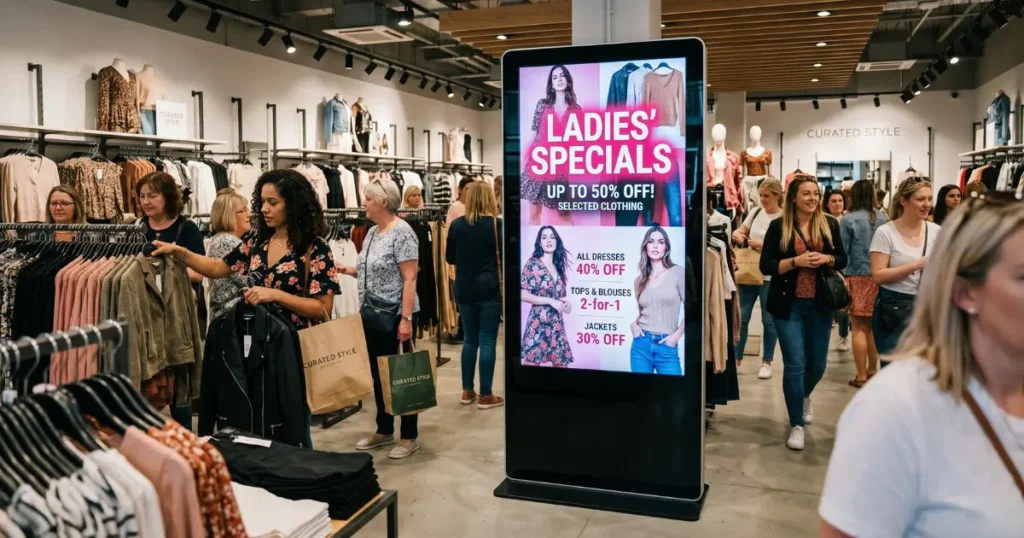
In the above example, Datapost Vision has detected that the majority of store customers are women. Data-connect processes the audience measurement insight and serves the "ladies' special" playlist on the in-store Digital Signage. A seamless and automated process, designed to maximise content relevance for your in-store advertising.
Datapost Vision uses on-device camera vision and object detection to measure how the store is actually being used. It captures anonymous demographic data, footfall, and dwell time. It does not identify individuals, and no images or likeness are stored for privacy regulation compliance.
That data answers questions a retailer cannot otherwise answer with confidence. Which window display drives more entries on a Saturday morning? Which aisle holds attention longest? Which campaigns connect with the actual demographic walking past, rather than the one the brand assumes is there?
Used over time, these signals refine three things: store layout, product placement, and marketing strategy. They also feed back into signage. If a screen is consistently watched by a younger audience in the afternoon, content can shift to match.
Vision can also power live in-store experiences. A connected mirror in a fitting area can suggest size variants, alternative colours, or accessory pairings, giving shoppers something close to the convenience of an e-commerce product page while they are physically holding the item.
8. Reporting: One Dashboard for Every Module
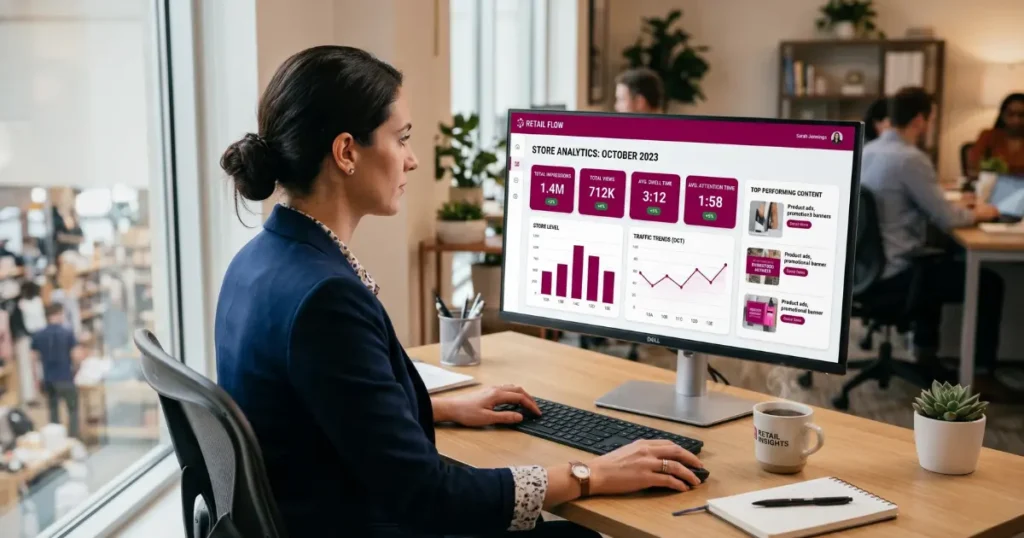
Each module produces useful data on its own. The reporting layer is what turns that data into something a regional manager or marketing lead can act on. A single dashboard consolidates content performance, audience analytics, kiosk usage, and store-level metrics.
Practical features include role-based access, scheduled exports, and integration with existing business intelligence platforms. Total impressions, total views, average dwell time, and average attention time become metrics that any retail leader can quote in a Monday morning meeting. Most-viewed and least-viewed content surfaces quickly, so underperforming creative gets retired and high-performing creative gets reused.
Starting Small and Scaling As You Grow
A common concern with integrated platforms is the cost and disruption of a full rollout. The bundle is designed to avoid that. A retailer can begin with digital signage in flagship stores, add Datapost Connect for sensor-driven content, then introduce Vision for analytics once the signage layer is producing results. Self-service kiosks and Xplore training can follow as queue management and onboarding become priorities. This approach is consistent with how we recommend businesses solve common business challenges with digital signage before scaling further.
Because every module shares the same reporting engine and integration framework, each new addition strengthens what is already running. There is no second integration project, no second login, and no second source of truth for what content played where.
Choose Smart Retail Solutions that Adapt to Customer Preferences.
Loyalty in retail is no longer about price alone. It is about an experience that recognises customers, responds to them, and rewards them for coming back. That experience is the product of connected systems, not isolated screens.If you are evaluating where to start, the simplest path is to talk through your current store setup and pick the one or two modules that will deliver the fastest, measurable results. Get in touch with Datapost to discuss your retail digital solutions strategy.
All images are for illustrative purposes only. Any brands or trademarks shown are property of their respective owners and do not imply affiliation or endorsement.