

How XID Powers Team Collaboration in Digital Signage
Getting a screen live often takes longer than designing it. Files get emailed back and forth. Feedback arrives in separate threads. Approvals stall while someone waits for the latest version.
Our interactive designer, XID and digital signage platform, was built to remove that friction. Anyone on your team can learn how to design quickly and effectively. It is reliable enough to run complex, data-driven displays. Most importantly, several people can work on the same design at once, inside one platform, without sending a single email.
This post covers what XID gives a team day to day: simple design tools, dependable performance, and a shared workflow.
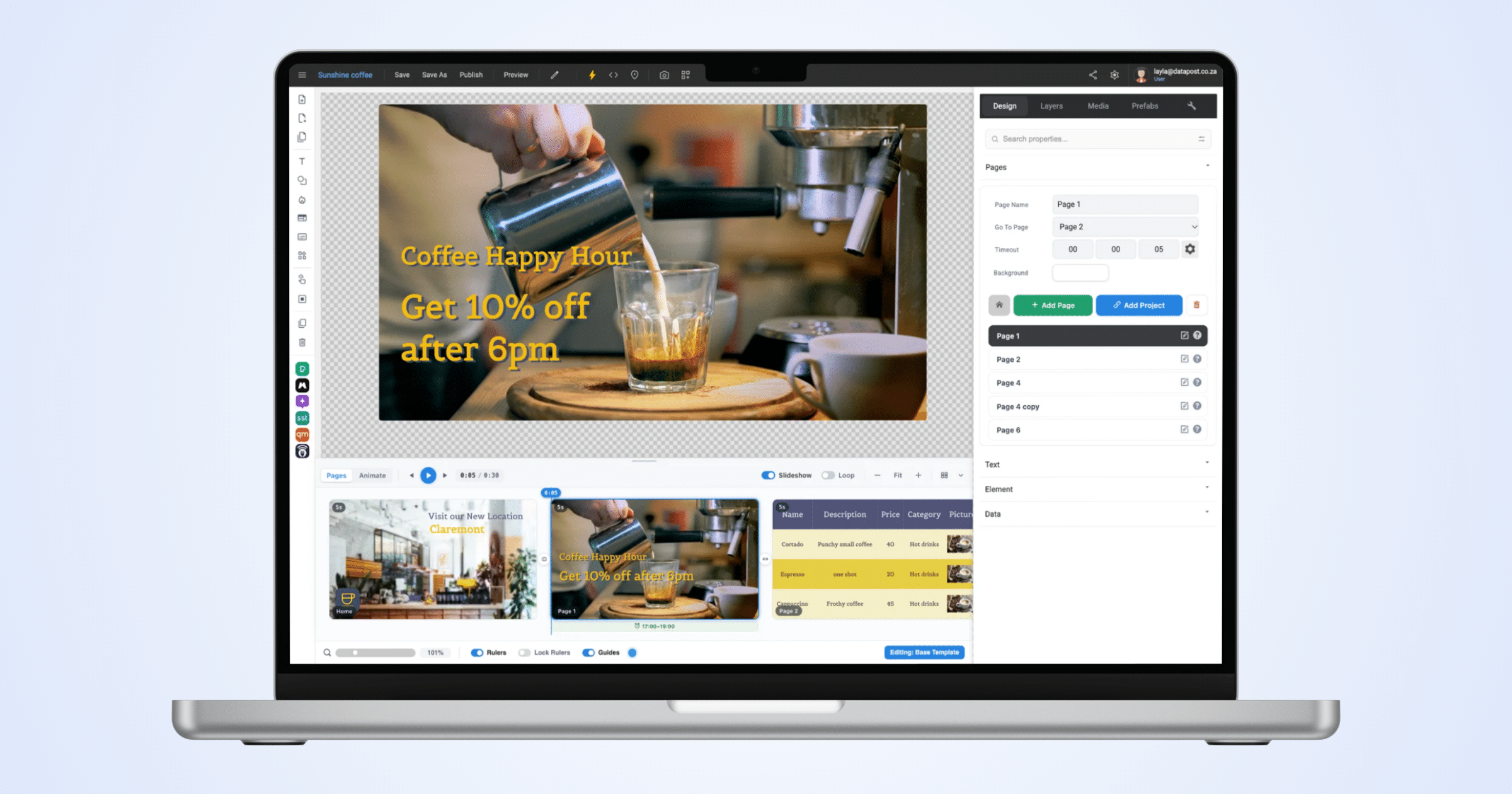
Included as an Integrated Design Tool, Not an Add-On
XID is not a separate purchase. It comes free with every Datapost Digital Signage license. You open it from the same dashboard you use to manage screens, playlists and channels.
This also makes collaboration easier. Because XID and Digital Signage share one platform, you only set up team access once. A colleague added for screen management can be given design access too.
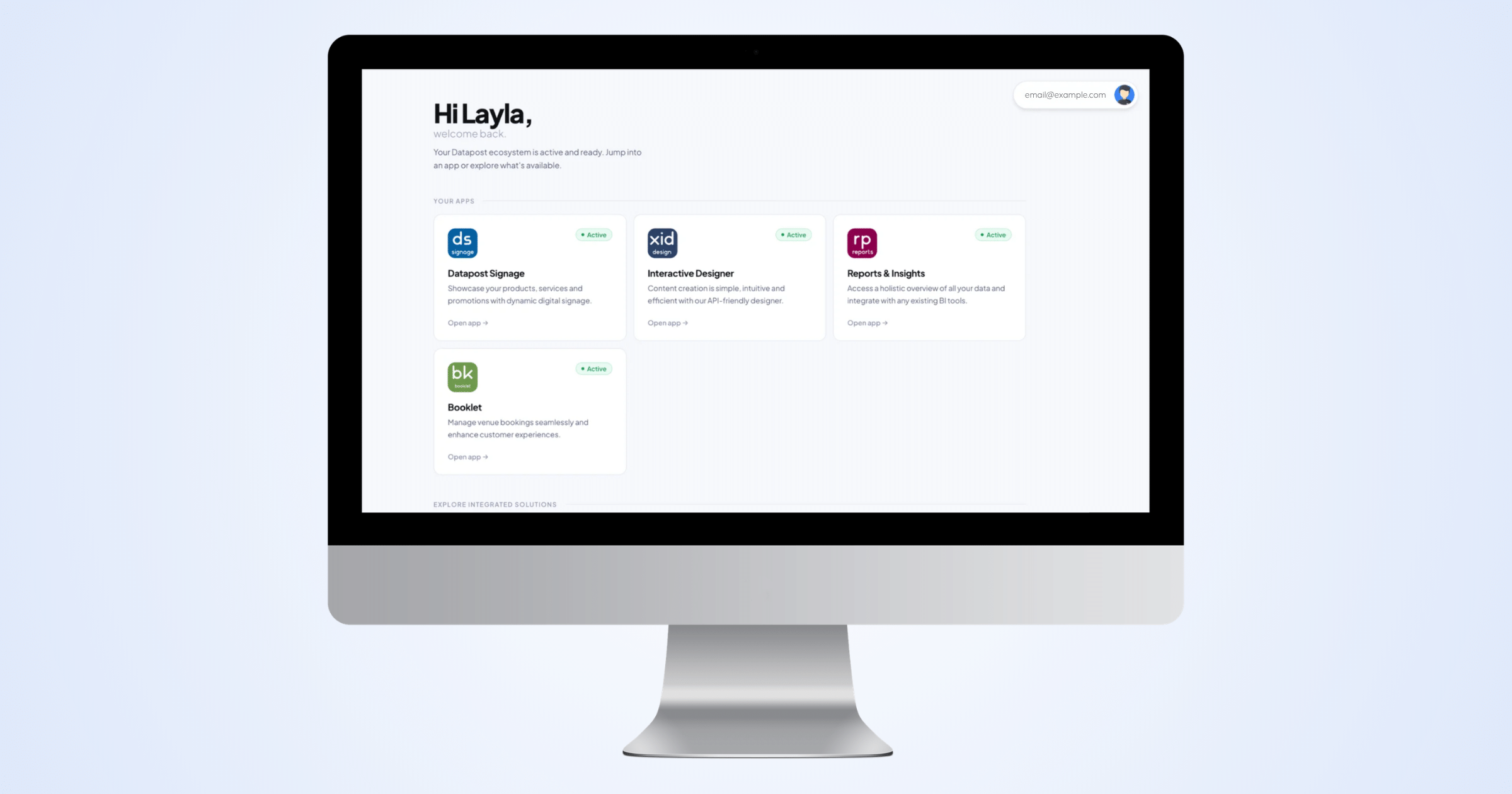
With Datapost, the design tool, the collaboration layer and the delivery platform are one product.
- No separate design license to buy
- No second login to issue
- No compatibility checks between your design tool and your content management system
An Ecosystem Built for Effective Teamwork
Digital signage design is rarely a one-person job. A marketer builds the layout. A manager approves it. An admin decides which screens it goes live on. That usually means screenshots, email threads and chasing sign-off. In XID, it all happens on the same platform, at the same time.
1. Work on a design together.
Several people in your organisation can open a design at once. One person edits while another reviews the same screen in real time. Nobody waits for a file or an exported version.
2. Manage access in-app.
Access runs through your organisation on the digital signage platform, not through file sharing. An admin invites a team member and grants access to specific screens and media folders, all from the Datapost dashboard. You set permissions once for streamlined collaboration.
3. Control access across branches
This helps businesses with screens across many branches or departments. Each team can work on its own content using folders with campaign approved media and branded content. For example, a regional manager can access only their region's screens, while the head office keeps oversight of the full network.
A User-friendly Designer with Advanced Tools
XID's core tools turn design into layout and content decisions, not technical ones. The drag-and-drop editor means nobody needs to know CSS or HTML. Non-technical staff can build professional layouts without waiting for a developer. New to XID? Read our previous blog for an introduction to XID and its core features.
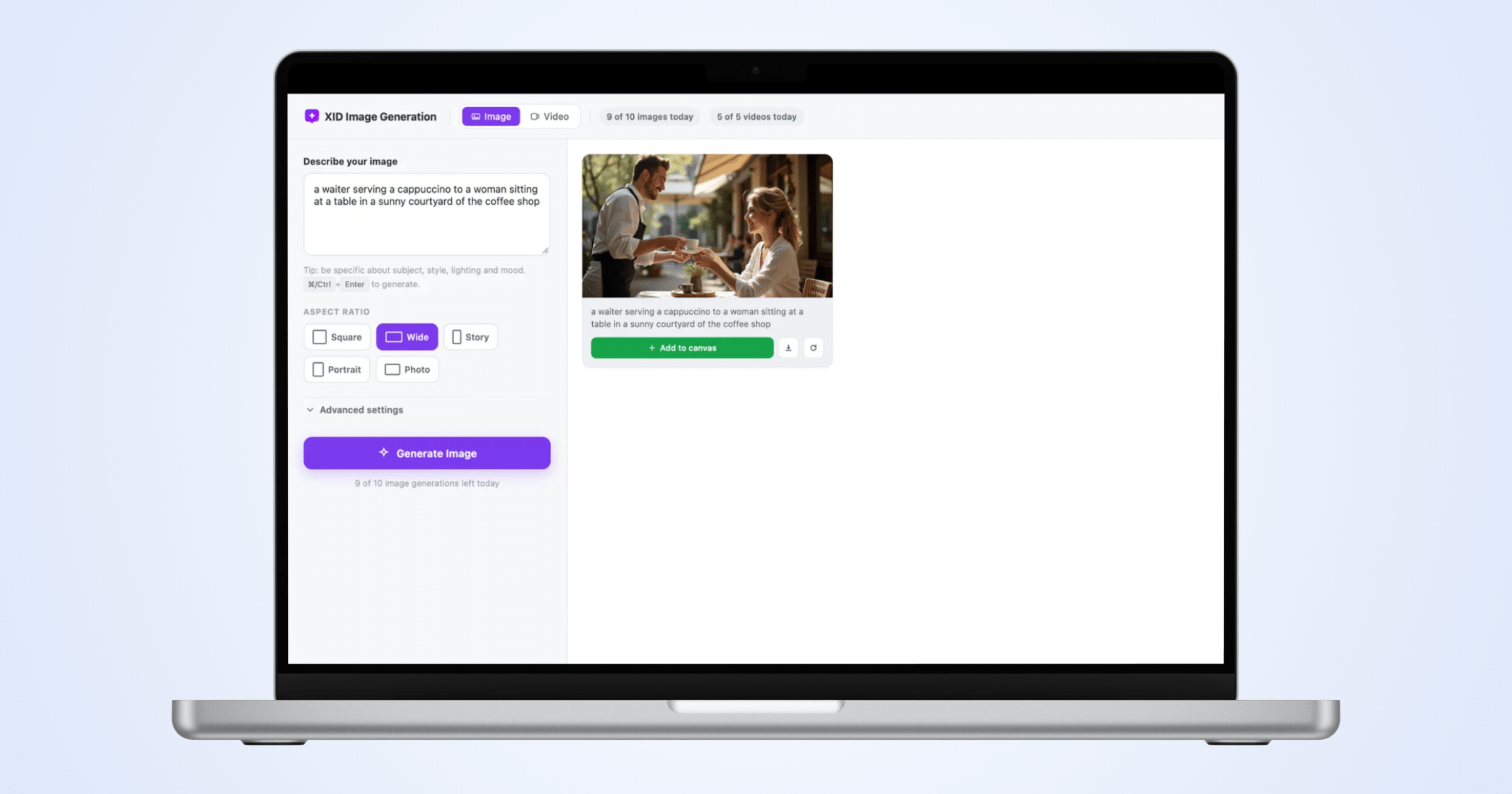
New: in-app image and video generation with Magnific
XID connects to the Magnific AI image and video generator through a verified API. Choose from a range of styles and tools, and generate custom content without leaving XID.
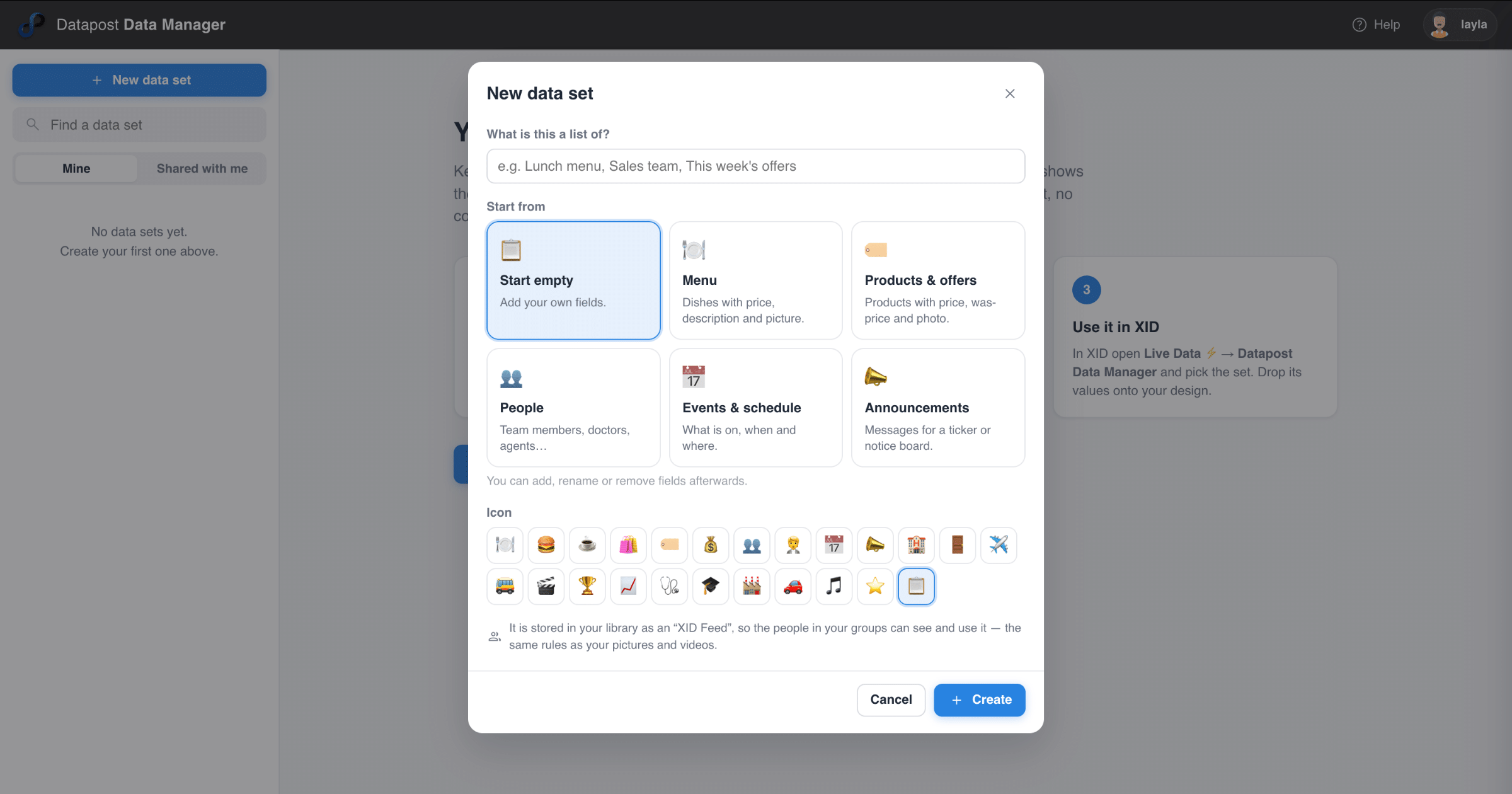
New: add or import live data sets
Live Data links your designs to the information your business already uses. Connect a source once and place its content on your design. When the data changes, your screens update automatically.
Precise timeline and page control
Set page durations, looping, and entrance, exit and emphasis animations. You can delay animations, hide elements partway through a timeline and set playback conditions. You control exactly when each element appears.
Instant content uploads & quick stock library access
Your uploads appear straight away in the XID media library. You also get built-in stock images, icons and videos from Pexels and Magnific (formerly known as Freepik), so you never need to leave XID to find visuals.
Copy style and canvas improvements
Copy style applies formatting across elements in one click, which keeps large designs consistent. Pinch-zoom, accurate dragging of grouped elements and reliable preview sizing in portrait and landscape mean your design looks the same on screen as it does in the editor.
Reliable Enough for Complex Deployments
Ease of use only matters if the platform can handle real business needs. XID's advanced features cover that.
- API integration connects screens to live data, such as databases, flight boards, weather or currency rates. It supports JSON and XML.
- QSR API integration pulls menu data straight from restaurant POS systems. This includes live pricing, promotional labels, dietary flags and sold-out indicators, with full layout freedom. Ideal for quick service restaurants.
- Location-sensitive delivery tailors content to where each screen sits. In a retail store, an aisle screen can show aisle offers while the lobby screen shows storewide deals.
- A custom script editor lets developers add JavaScript for bespoke animations and data-driven experiences.
- Interaction tracking works with NFC and IoT sensors, so displays respond to customer behaviour.
A marketer can use XID to build a promotional slide. A developer can use the same tool to connect a live POS feed to a menu board. You get that full range without switching platforms.
Integrated Smart Objects for Dynamic Content
XID also includes smart objects that add dynamic content with no extra setup:
- Weather and clock widgets show live global weather, cached for offline reliability, plus custom analogue and digital clocks.
- Menu modules can showcase your products that have been added to a live data set, available in multiple design layouts..
- Custom tickers scroll news, headlines or announcements. You control the font, colour, motion and speed.
- Smart cards and modals accept drag-and-drop media in project menus and pop-ups.
- An on-screen keyboard improves accessibility on touchscreens.
- Interactive elements such as QR codes, service ratings and Google Sheets graphs extend what a screen can do without custom development.
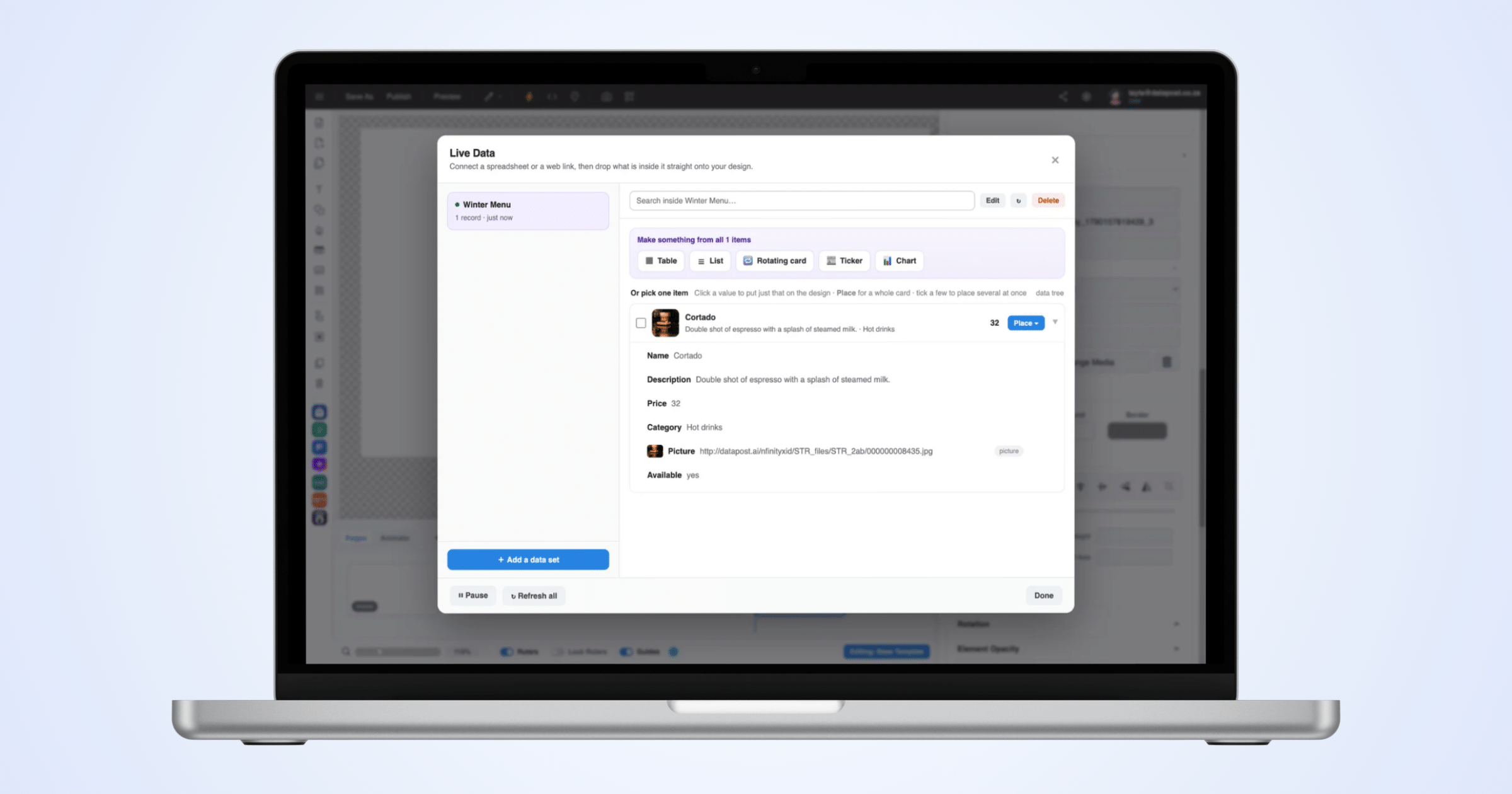
Example: Menu item details using live data feature.
How a Design Comes Together
Creating a design in XID follows five steps. There is no app to install and no handoff between systems.
- Log in and launch the designer. Open XID from your Datapost account. No separate license or login is needed.
- Drag, drop and design. Start from a template or a blank canvas. Add media, buttons and smart objects with the drag-and-drop editor.
- Customise and add effects. Adjust drop shadows, padding, brightness, blur and other styling options.
- Add live data (optional). Connect an API or RSS feed so your design shows real-time information instead of static text.
- Publish to your screens. Push the design to one screen or a whole network in one click. Update it whenever you need to.
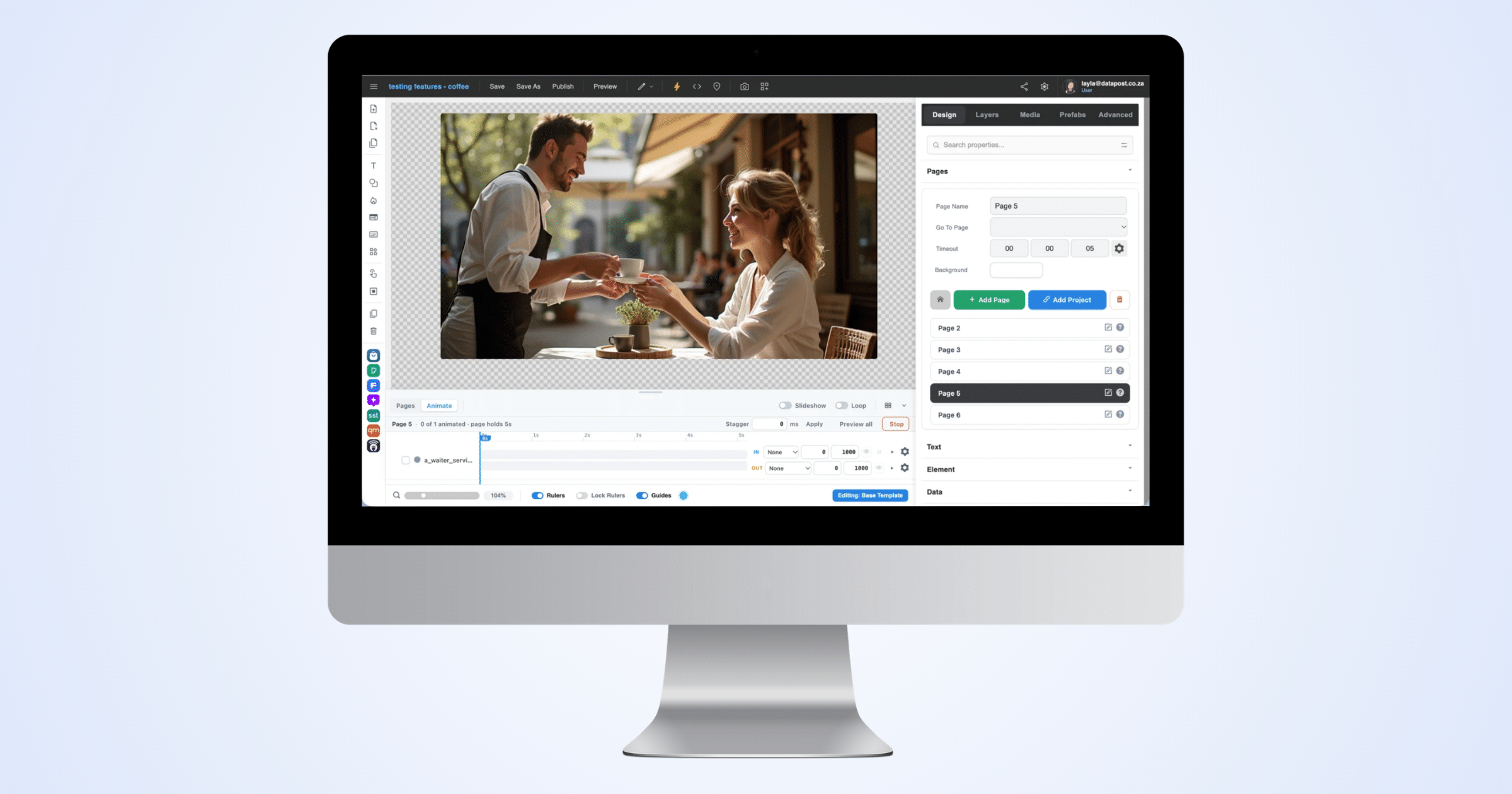
The creation process was designed for ease of use and accessibility. In the case that you require technical support, we’re ready to help! You can visit our support page for assistance.
One Reliable Platform, Connecting Displays & Design
XID gives your team one included tool to design, review and publish digital signage content. It works for a single screen or a template rolled out across a national network.
It is simple enough to use from day one. It supports live data feeds, POS integrations and custom scripting when a project needs them. And it lets your team work together, so nobody works alone to get a screen live.
Want to see the full feature set? Read our XID feature guide, or get started with Datapost to see how quickly your first screen can go live.
Frequently Asked Questions
A digital signage design tool is software for creating the content that plays on digital screens. It lets you build layouts, add images, video and live information, then publish them to one screen or a whole network. XID is Datapost's digital signage design tool, developed in South Africa and available globally, built into our Digital Signage platform.
No. With a drag-and-drop digital signage design tool like XID, you build layouts by placing media, buttons and widgets on a canvas. You don't need CSS or HTML. Templates, stock images and built-in styling controls help non-technical staff produce professional content without a designer or developer.
Teams collaborate best when design, review and publishing happen in one platform. In XID, several people in an organisation can open the same design at once. One person edits while another reviews the screen in real time, so there's no emailing files or chasing approval on exported versions.
Yes. XID connects to the Magnific AI image and video generator through a verified API. You can generate custom images and video for your designs without leaving XID. You also get built-in stock media from Pexels and Magnific.
Yes.
XID's QSR API integration pulls menu data straight from restaurant POS systems. This includes live pricing, promotional labels, dietary flags and sold-out indicators. Menu boards stay accurate automatically, and designers keep full control over the layout.